How each one actually locates your bike
A Find My tag is a crowd-sourcing trick, and a clever one. Apple describes the network as nearby devices — “over a billion iPhone, iPad, and Mac devices around the world” — securely relaying a missing item’s location to iCloud, with the process “anonymous and encrypted to protect everyone’s privacy.” The practical consequence: your tag’s accuracy is a function of how many Apple users are near your bike. On a city street at lunchtime, that is a lot of them. In a storage unit on an industrial estate at 3 a.m., it is none.
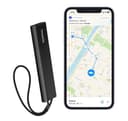
A cellular tracker does the work itself.It fixes its position from satellites and sends it over a mobile network — 4G LTE-M on the Invoxia unit here, a low-power standard built for exactly this kind of device. It does not care whether anyone is nearby. It also means it can do the thing a tag fundamentally cannot: notice that the bike is moving and tell you while it is happening. The Invoxia is listed with motion and tilt alerts for that reason.
Where each one fails
| Scenario | Find My tag | Cellular GPS tracker |
|---|
| Busy city street | Strong — frequent updates from passing phones | Strong |
| Apartment building or house | Usually good — residents’ phones report it | Good, though indoor GPS fixes degrade |
| Rural road, few people | Weak to useless — no phones to relay | Strong, with cell coverage |
| Inside a moving van | Depends entirely on the driver’s own phone | Usually works — this is its best case |
| Theft in progress | No alert — you find out when you look | Motion and tilt alerts fire immediately |
| Thief is scanning for trackers | Findable — Android and iOS both surface unknown tags, and the tag can be made to beep | Harder — no standard consumer alert exists for these |
| You forgot about it for two years | Likely still alive — one pick here lists a 3-year battery | Dead — months, not years, and a lapsed subscription |
| You use Android | Find My tags are the wrong purchase | Platform-independent — the clear choice |
Read the anti-stalking row carefully, because it cuts both ways and it is the single most under-reported thing about tags. The industry built unwanted-tracking alerts precisely so that a tag cannot be used to follow a person, which is unambiguously good — and it means a thief holding a modern phone may well get a notification that an unknown tag is traveling with them. That is the main argument for hiding the tag well, which is why one of the picks below is a mount rather than a tracker.
The subscription, stated plainly
A Find My tag has no subscription. You buy it, you pair it, that is the end of the spending.
A cellular tracker needs a data plan, because it is using a mobile network every time it reports. Providers price and bundle these differently and change them, so check the current plan on the maker’s site before you buy rather than trusting any figure on a review page, including ours — we are not going to quote a monthly price we cannot verify today. What matters for the decision is structural: over a few years of ownership the subscription, not the hardware, is the larger cost, and a lapsed subscription turns the device into a paperweight at the exact moment you need it.
Where to put it on the bike
This matters more than which device you buy, and most people get it wrong by putting the tag somewhere convenient.
- Not under the saddle in a visible pouch. It is the first place anyone looks, and a seat pack is removed in one motion.
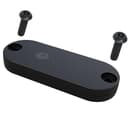
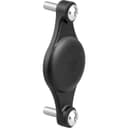
- Inside something that looks like part of the bike. A bottle-cage mount that holds the tag behind the cage, fixed with anti-tamper bolts, reads as bike furniture rather than as a tracker. That is exactly what the Topeak mount below is for.
- Consider two, if the bike is worth it. One somewhere findable and one genuinely hidden. A thief who finds the obvious one usually stops looking.
- Think about the battery before you seal it in. A tracker bolted somewhere you cannot reach is a tracker you will never recharge. The fit-and-forget pick here is listed at a three-year battery for that reason.
What to do when the bike is actually gone
A tracker changes what happens next, and only if you use it correctly. Do not go and confront anyone — a last-seen pin is not proof of who has your bike and a stolen bicycle is not worth a dangerous encounter. Report the theft, give the police the location data and the serial number, and let them act on it. The full sequence, including why the serial number matters more than the tracker does, is in what to do if your bike is stolen.
The honest bottom line
For most commuters in most towns, the tag wins on value by a wide margin: no subscription, a battery you forget about, and a finding network that is dense exactly where bikes get stolen. The cellular tracker wins when the stakes or the geography change — a four-figure e-bike, a rural commute, a bike that sleeps outdoors, or an Android phone in your pocket. And the alert-while-it-is- happening capability is genuinely only available on the cellular side.
What neither one does is keep the bike. Spend on the lock first, at the tier your parking justifies — how much to spend on a bike lock is the argument, and the Fahgettaboudit Mini review is what the top of that scale looks like. Then add the tracker. A tracker on a cable-locked bike is a notification that your bike is leaving.
Whichever you pick, the position decides whether it survives the theft. Where to put an AirTag on a bike covers the spots that work, the popular ones that do not, and why a tag hidden inside a metal frame tube can end up reporting nothing at all.