How we picked
Four criteria, in the order they actually decide the purchase. Note what is not on the list: a score. We have not ridden these units, so a number would dress spec-reading up as testing.
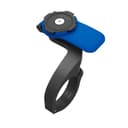
1. Does it need a special case?This is the first question because it is the one that can make a mount useless on arrival. A Quad Lock or SP Connect mount is half a system; the phone-side half is a case or an adapter bought separately, and without it the mount holds nothing at all. That is not a flaw — it buys you the best on-off action in the category — but it is a second purchase and a commitment to one brand for as long as you own the phone. Every pick above states plainly which side of this line it sits on.
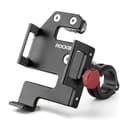
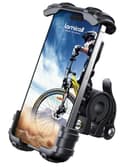
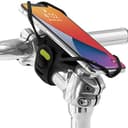
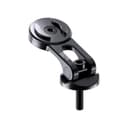
2. What physically holds the phone in?Four mechanisms exist and they fail differently. Clamp arms squeeze the phone’s edges, which works until a pothole loads one corner. A silicone strap wraps the whole device, which is remarkably secure and ages with UV. A twist-lock takes the load through a hard interface on the back of the case, which is the strongest of the four. A stem plate is rigid but needs the case-side half to do anything. We print the mechanism rather than the marketing word for it.
3. Does the published fit range include your phone, in its case? This is where real returns come from. Phones have grown; mount listings have not all kept up. One pick here stops at 6.8 inches and publishes a 15 mm thickness limit, which a large phone in a rugged case can genuinely exceed. Where a maker publishes a width and thickness and not just a diagonal, we print all of it, because the diagonal alone will not tell you whether a thick case fits.
4. Can you get the phone out one-handed, at a light, in gloves? A commuter mounts and unmounts a phone twice a day, five days a week. A mount that takes two hands and twenty seconds is a mount that ends up in a drawer with the phone back in a pocket. This is the single most under-weighted criterion in this category and the reason one of our picks is here at all.
Case-based systems vs universal mounts
Case-based systemsare genuinely better to use. The phone clicks into a hard interface, nothing covers the screen, there is no squeezing and no threading, and it comes off in one motion as you walk away from the rack. If you ride every day, that difference compounds. The costs are real too: you buy the mount and then the case or adapter, you are tied to that brand’s ecosystem for the life of the phone, and when you change phone you often buy another case. Reckon on roughly double the all-in cost of a universal mount, in the mid-to-premium bracket rather than the budget one.
Universal mountshold the phone and case you already own and cost a fraction as much. You pay for it in screen coverage — arms across the corners — and in a slower, two-handed removal on the clamp designs. For a commuter who navigates for the first month and then mostly rides a route they know, a universal mount is the right buy and the money is better spent on a lock that matches your parking.
A useful tiebreaker: how often do you need the phone off the bars? If you lock up outdoors, the phone comes with you every time, and the one-motion release of a case system earns its price. If you park indoors and the bike lives in a secure garage, the phone can stay put and the convenience premium buys much less.
Where to put it: handlebar, out front, or stem
On the handlebar is the default and the most adjustable. The clamp goes anywhere between the stem and the grips, it fits almost any bar diameter in the published range, and it costs nothing to move. The downside is crowding: a bar already carrying a bell, a light and an e-bike display runs out of room fast, and the phone ends up angled where you did not want it.
Out front— on an arm that reaches forward past the bar — puts the screen in your natural sightline, so a glance costs you much less road attention than looking down. It is the best position for navigation and the worst position in a crash, because out front is precisely where the phone lands when the bike goes down.
On the stem keeps the bar completely clear and puts the phone in the middle of the cockpit. It is the tidiest look, and the phone is lying flattest there, which is the worst orientation for reading a screen in direct sun. A stem-cap mount also has a prerequisite the other two do not: your bike needs a stem cap you can get at, which plenty of e-bikes with integrated or shrouded stems do not have.
Rain, and the water rating nobody publishes
“Waterproof bike phone holder” is one of the most-searched phrases in this category, and the honest answer is uncomfortable: not one of these mounts publishes a water rating, because a mount is a clamp, not an enclosure. What keeps your phone alive in the rain is the phone’s own IP rating, and on any recent flagship that is good enough for a commute in weather. Older phones, budget phones and anything with a cracked screen seal are the ones at risk.
Two things do matter in the wet and neither is a spec. A touchscreen does not work reliably with water on it, so plan to navigate by audio rather than by tapping. And a phone clamped on the bars gets hit by road spray thrown off your own front tire for the whole ride — which is one more argument for fitting a front fender, the cheapest upgrade in wet-weather commuting. If you want the phone genuinely sealed on a route you know, the better answer is to leave it in a pocket or a bag and let the rest of your rain setup do the work.
Magnets are not enough on a bike
MagSafe-style magnetic mounts are everywhere now and most of them are built for a stroller handle, a gym bike or a treadmill — places where the mount never meets a pothole. A magnet alone resists shear poorly, and a bike delivers exactly the sharp vertical shock that shears a phone off a flat magnetic pad. There are magnetic mounts with a mechanical backup latch and they are a different proposition, but a magnet-only bar mount is a dropped phone waiting for a sunken drain cover. We are not featuring one until a listing publishes a retention mechanism beyond the magnet itself.
The same logic rules out the suction-cup mounts that show up in these search results. They are car-windshield parts. Nothing about a handlebar is flat, clean or stationary enough for one.
Do you still need a bike computer?
For a commute, no. A phone already knows the route, the time and the traffic, and a mount costs a small fraction of a GPS head unit. The genuine arguments for a computer are battery life on all-day rides, screen readability in blinding sun, and not exposing a $1,000 phone to the weather and the road — and none of those is a commuting problem. If you are deciding where the next chunk of your gear budget goes, the accessories that actually change a daily ride is the honest ranking, and a phone mount sits well above a cycling computer on it.
One caveat worth planning for: navigation with the screen on drains a phone fast, and on a long commute you can arrive at single digits. If your ride is over about 45 minutes each way, budget for a charging route — an e-bike with a USB port, a small power bank in a bag, or downloading the map offline and keeping the screen off between turns.
What we would skip
A magnet-only mount, for the reasons above. The failure mode is your phone on the road at 15 mph.
A case-based system you buy for one month of navigation. If you are learning a new route and then expect to stop looking at the screen, the premium plus the case is money that does more in a better lock or lights.
Any mount whose listing does not publish a fit range. The phone-size and bar-diameter numbers are the only specs that determine whether the thing works at all. A seller who will not state them is a seller betting you will not measure.
A phone mount as your only plan for the dark. A lit screen on your bars does not make you visible to anyone. That is what a rear light is for, and in California it is the law rather than a preference.